
ما هي Webhooks وكيف تعمل؟ | What Are Webhooks and How Do They Work?
تعلّم ببساطة، خطوة بخطوة
Learn simply, step by step
معلومة واضحة، ثم خطوة جديدة.
Clear knowledge, one step at a time.
ما هي Webhooks وكيف تعمل؟ What Are Webhooks and How Do They Work?
ما هي Webhooks؟
إذا كنت تتساءل ما هي Webhooks، فهي طريقة تسمح لتطبيق أو موقع بإرسال البيانات إلى خدمة أخرى فور حدوث حدث معين، دون الحاجة إلى فحص الخدمة باستمرار لمعرفة هل توجد بيانات جديدة.
على سبيل المثال، عند إرسال نموذج على موقع إلكتروني، يمكن للـWebhook إرسال بيانات النموذج مباشرةً إلى n8n لبدء Workflow وتنفيذ الخطوات المطلوبة.
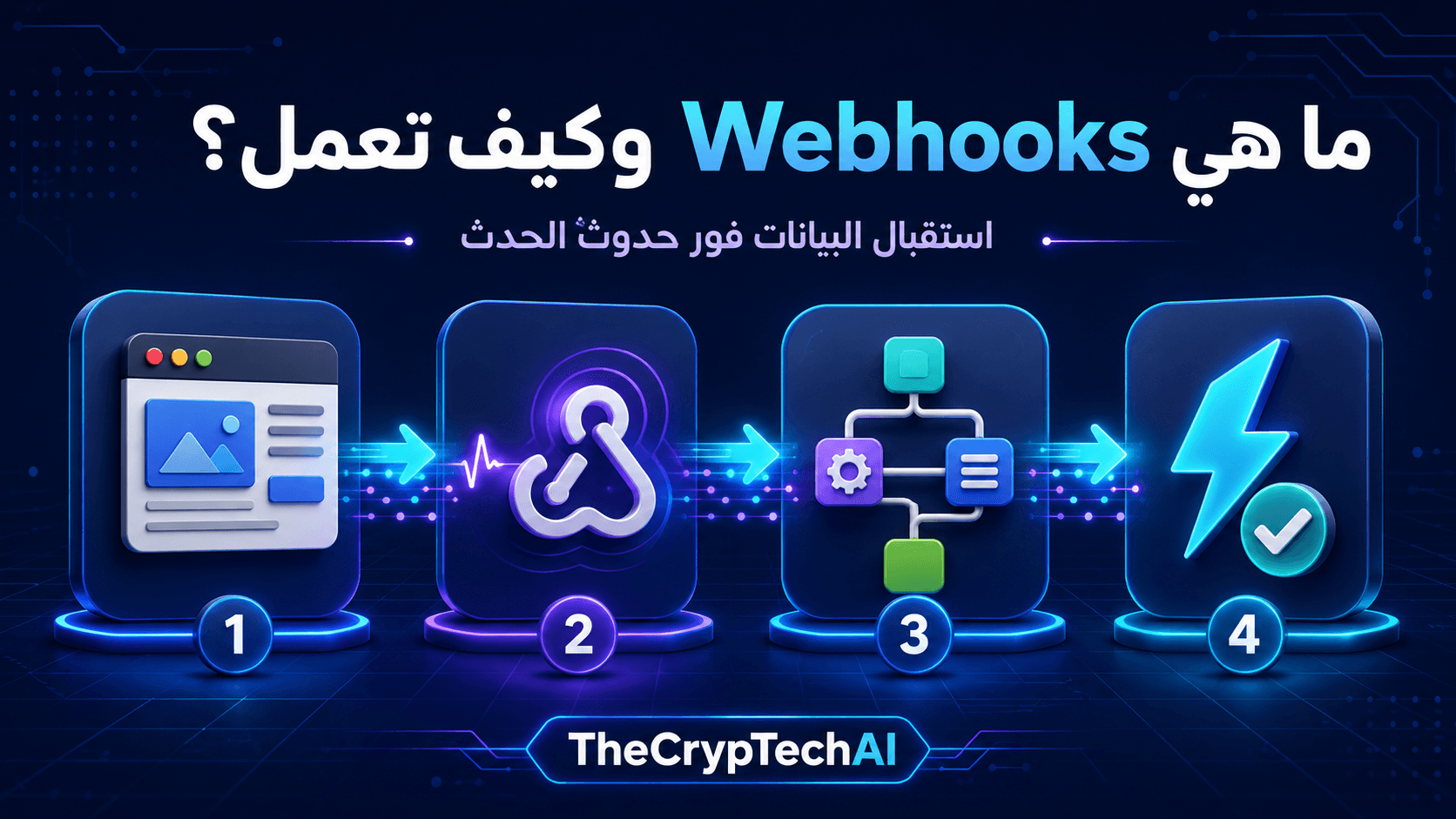
كيف تعمل Webhooks؟
تنشئ الخدمة المستقبلة عنوانًا يسمى Webhook URL. نضع هذا العنوان داخل الموقع أو التطبيق الذي سيرسل البيانات.
عند حدوث الحدث، يرسل التطبيق طلبًا إلى الرابط يحتوي على المعلومات المطلوبة. تستقبل n8n البيانات، ثم تشغّل العُقد التالية داخل مسار العمل.
يمكن تلخيص العملية في أربع خطوات:
- يحدث إجراء داخل الموقع أو التطبيق.
- تُرسل البيانات إلى Webhook URL.
- تستقبل Webhook Node البيانات وتبدأ الـWorkflow.
- ينفذ المسار الإجراء المطلوب، مثل حفظ البيانات أو إرسال إشعار.
ما الفرق بين Webhooks وAPIs؟
عند استخدام API، يرسل نظام طلبًا للحصول على البيانات أو تنفيذ إجراء. أما Webhook فيرسل البيانات تلقائيًا عند حدوث الحدث.
بمعنى مبسط: تسأل الـAPI عن البيانات عندما تحتاج إليها، بينما يخبرك الـWebhook بوجود حدث جديد فور وقوعه. ويمكن استخدام الطريقتين معًا داخل Workflow واحد.
Webhook في n8n
عند إضافة Webhook Node في n8n، تحصل عادةً على رابط للاختبار ورابط للاستخدام الفعلي:
- Test URL: يُستخدم أثناء بناء المسار وتجربة استقبال البيانات.
- Production URL: يُستخدم بعد نشر أو تفعيل الـWorkflow لاستقبال الطلبات الحقيقية.
أثناء الاختبار، اجعل Webhook Node في وضع الاستماع، ثم أرسل طلبًا إلى Test URL. ستظهر البيانات المستلمة داخل العقدة ويمكن استخدامها في الخطوات التالية.
نصائح لحماية Webhook URL
- لا تنشر الرابط في صفحات أو أكواد عامة دون حاجة.
- استخدم Authentication أو رمزًا سريًا عندما يكون ذلك متاحًا.
- تحقق من البيانات قبل حفظها أو استخدامها.
- لا تسمح للطلب بتنفيذ حذف أو دفع مباشرةً دون وسائل حماية.
يمكنك زيارة
قسم أدوات TheCrypTechAI المجانية
لرؤية أمثلة على خدمات رقمية يمكن ربطها بمسارات أتمتة.
ولمعرفة إعدادات Webhook Node بالتفصيل، راجع
وثائق Webhook الرسمية في n8n.
الخلاصة
توضح معرفة ما هي Webhooks أنها وسيلة لإرسال البيانات فور حدوث حدث معين. تستقبل n8n الطلب عبر Webhook URL، ثم تبدأ Workflow لمعالجة البيانات وتنفيذ الإجراء المطلوب تلقائيًا.
What Are Webhooks?
If you are asking what are webhooks, they are a method that allows an application or website to send data to another service as soon as a specific event occurs, without requiring the receiving service to check constantly for new information.
For example, when someone submits a website form, a webhook can immediately send the form data to n8n, start a workflow, and perform the required actions.
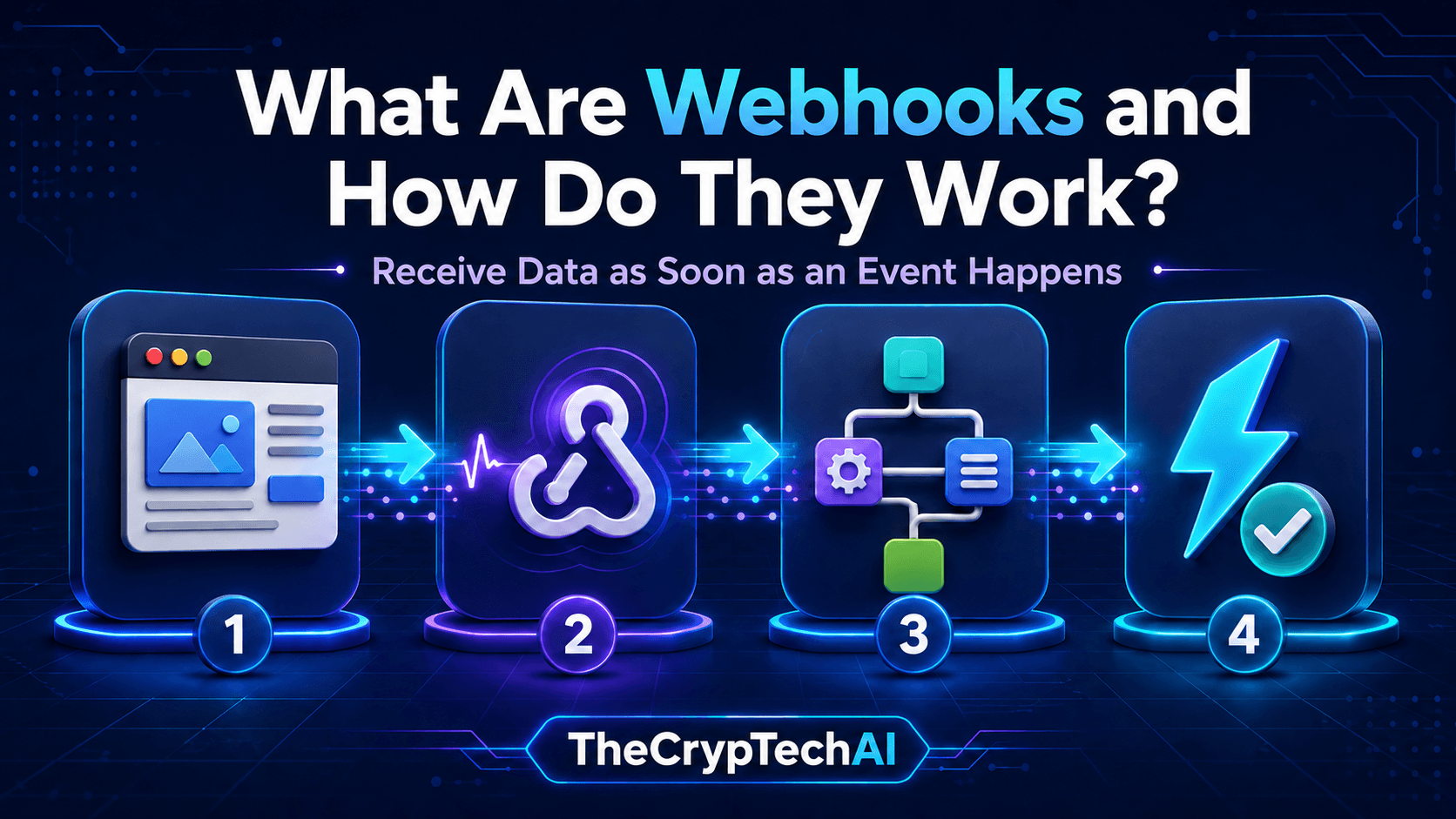
How Do Webhooks Work?
The receiving service creates an address called a Webhook URL. This address is added to the application or website that will send the data.
When the event happens, the application sends a request containing the required information to the URL. n8n receives the data and runs the following nodes inside the workflow.
The process can be summarized in four steps:
- An event occurs inside a website or application.
- The application sends data to the Webhook URL.
- The Webhook node receives the data and starts the workflow.
- The workflow performs an action, such as saving data or sending a notification.
What Is the Difference Between Webhooks and APIs?
When using an API, a system sends a request to retrieve data or perform an action. A webhook automatically sends data when an event occurs.
In simple terms, you ask an API for information when you need it, while a webhook tells you when a new event happens. Both methods can also be used together inside the same workflow.
Using a Webhook in n8n
When you add a Webhook node in n8n, you normally receive two different URLs:
- Test URL: Used while building and testing the workflow.
- Production URL: Used after publishing or activating the workflow to receive real requests.
During testing, place the Webhook node in listening mode, then send a request to the Test URL. The received information appears inside the node and can be used in the following steps.
Webhook Security Tips
- Do not publish the URL in public pages or code unless necessary.
- Use authentication or a secret token when available.
- Validate received information before storing or using it.
- Do not allow requests to perform payments or deletions without appropriate controls.
Explore the
free tools available from TheCrypTechAI
to see examples of digital services that could be connected to automation workflows.
For more information about the node and its settings, read the
official n8n Webhook documentation.
Key Takeaway
Understanding what are webhooks shows that they provide a way to send data as soon as an event occurs. n8n receives the request through a Webhook URL and starts a workflow to process the information and complete the required action automatically.
اختبر فهمك
Check Your Understanding
سؤالان سريعان لتثبيت أهم ما تعلمته.
Two quick questions to reinforce the key ideas.