
حماية الحسابات من الاختراق المتقدم | Advanced Account Protection
تعلّم ببساطة، خطوة بخطوة
Learn simply, step by step
معلومة واضحة، ثم خطوة جديدة.
Clear knowledge, one step at a time.
حماية الحسابات من الاختراق المتقدم Advanced Account Protection
لم تعد كلمة المرور وحدها كافية لحماية الحسابات المهمة. تعتمد حماية الحسابات من الاختراق على عدة طبقات أمنية تعمل معًا لتقليل احتمال سرقة الحساب، وحتى إذا حصل المهاجم على كلمة المرور يمكن للطبقات الإضافية أن تمنع وصوله.
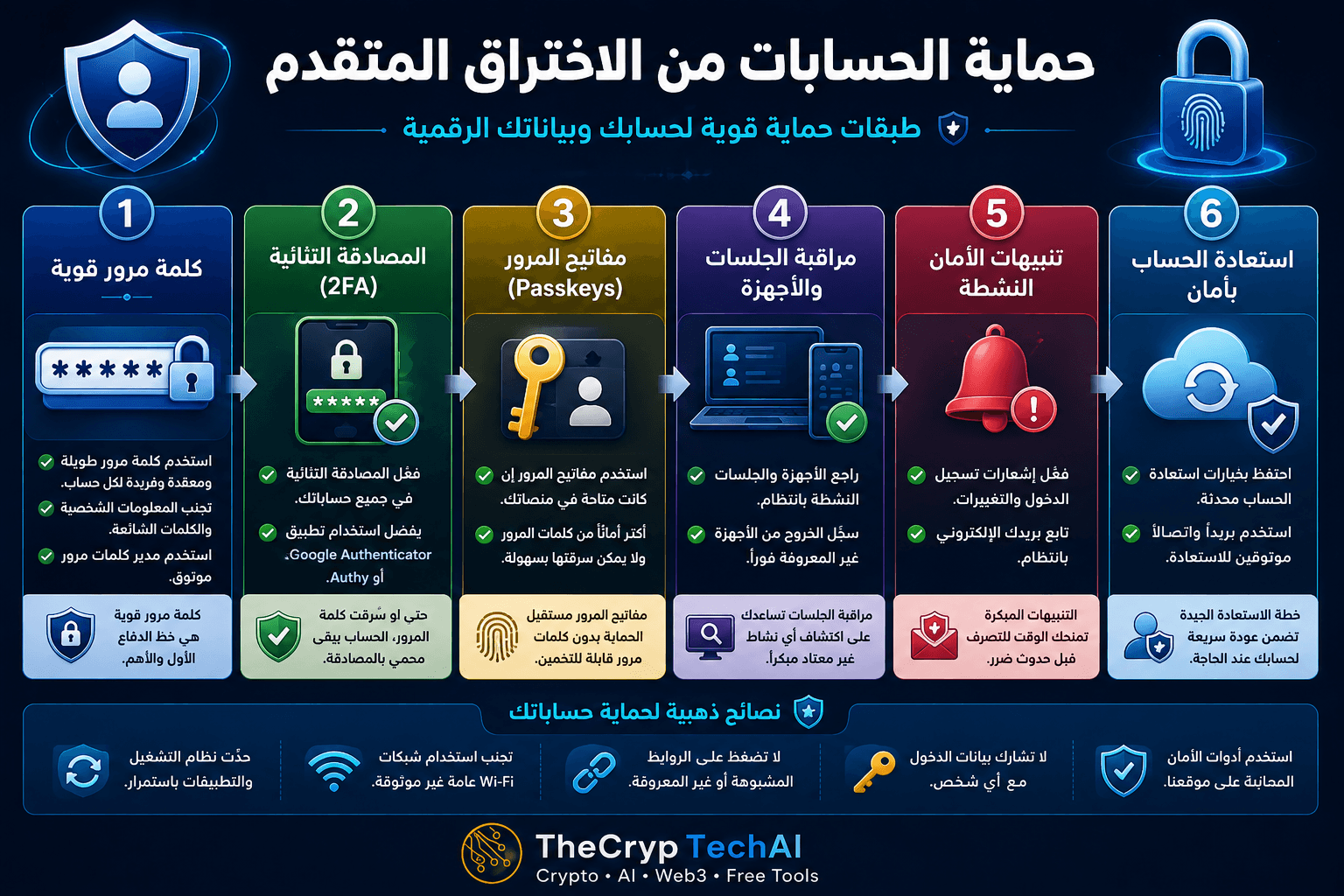
كيف تبدأ حماية الحسابات من الاختراق؟
ابدأ بالحسابات الأكثر أهمية مثل البريد الإلكتروني ومنصات التداول والحسابات التي يمكن استخدامها لاستعادة حسابات أخرى. استخدم كلمة مرور طويلة وفريدة لكل حساب، ولا تعِد استخدام كلمة المرور نفسها في أكثر من خدمة.
يمكن أن يساعد مدير كلمات مرور موثوق في إنشاء كلمات مرور قوية وحفظها بدل الاعتماد على كلمات سهلة التذكر ومتكررة.
فعّل المصادقة الثنائية 2FA
تضيف المصادقة الثنائية طبقة حماية إضافية بعد كلمة المرور. فإذا تم تسريب كلمة المرور، سيظل المهاجم بحاجة إلى عامل تحقق إضافي للوصول إلى الحساب.
عندما تكون الخيارات متاحة، يُفضّل استخدام تطبيق مصادقة أو وسيلة أقوى مقاومة للتصيد بدل الاعتماد على الرسائل النصية فقط، خصوصًا للحسابات الحساسة.
استخدم مفاتيح المرور Passkeys عند توفرها
تسمح Passkeys بتسجيل الدخول باستخدام وسيلة تحقق مرتبطة بجهازك، مثل بصمة الإصبع أو التعرف على الوجه أو رمز قفل الجهاز، بدل كتابة كلمة مرور تقليدية في كل مرة.
كما تساعد تقنيات Passkeys المبنية على معايير FIDO في تقليل مخاطر التصيد، لأنها لا تعتمد على إدخال كلمة مرور يمكن سرقتها من خلال صفحة تسجيل دخول مزيفة.
راقب الجلسات والأجهزة المتصلة
راجع صفحة الأجهزة والجلسات النشطة في حساباتك المهمة بشكل دوري. إذا وجدت جهازًا أو موقعًا أو جلسة لا تعرفها، قم بتسجيل الخروج منها وغيّر بيانات الدخول إذا كان هناك احتمال لوصول غير مصرح به.
هذه المراقبة جزء مهم من حماية الحسابات من الاختراق لأنها قد تكشف الوصول المشبوه حتى إذا لم تلاحظ أي تغيير واضح في الحساب.
فعّل تنبيهات الأمان
فعّل إشعارات تسجيل الدخول وتغيير كلمة المرور وإضافة جهاز جديد وتعديل إعدادات الأمان عندما توفر الخدمة هذه الخيارات.
إذا وصلك تنبيه لم تتسبب فيه، لا تضغط على الروابط الموجودة في رسالة غير موثوقة. افتح التطبيق أو الموقع الرسمي مباشرة وراجع نشاط الحساب من هناك.
جهّز وسائل استعادة الحساب
تأكد من تحديث بريد ورقم هاتف الاستعادة عند استخدامهما، واحفظ رموز الاسترداد الاحتياطية في مكان آمن. وجود طريقة استعادة موثوقة قد يكون مهمًا إذا فقدت جهازك أو وسيلة المصادقة الأساسية.
ولا تشارك رموز المصادقة أو رموز الاسترداد أو كلمات المرور مع أي شخص، حتى إذا ادعى أنه من فريق الدعم.
طبقات حماية الحسابات من الاختراق
أفضل استراتيجية لا تعتمد على إجراء واحد، بل على عدة طبقات:
كلمة مرور فريدة ← 2FA ← Passkeys ← مراقبة الجلسات ← تنبيهات الأمان ← استعادة آمنة.
للمزيد من أدوات وإرشادات الحماية، يمكنك زيارة
مركز الأمان في TheCrypTechAI
.
وإذا أردت التحقق من الروابط قبل فتحها، استخدم
فاحص الروابط المشبوهة
.
مصدر موثوق لحماية الحسابات
يمكنك أيضًا مراجعة إرشادات
CISA حول استخدام كلمات مرور قوية
للتعرف على ممارسات إضافية لحماية حساباتك.
قاعدة الدرس
لا تعتمد على كلمة المرور وحدها. كل طبقة أمان إضافية تجعل الاستيلاء على حسابك أكثر صعوبة، كما أن مراقبة الجلسات والتنبيهات تساعدك على اكتشاف النشاط المشبوه والاستجابة له بسرعة.
A password alone is no longer enough to protect important online accounts. Advanced Account Protection uses multiple security layers to reduce the risk of account takeover. Even if an attacker obtains your password, additional protection can help prevent unauthorized access.
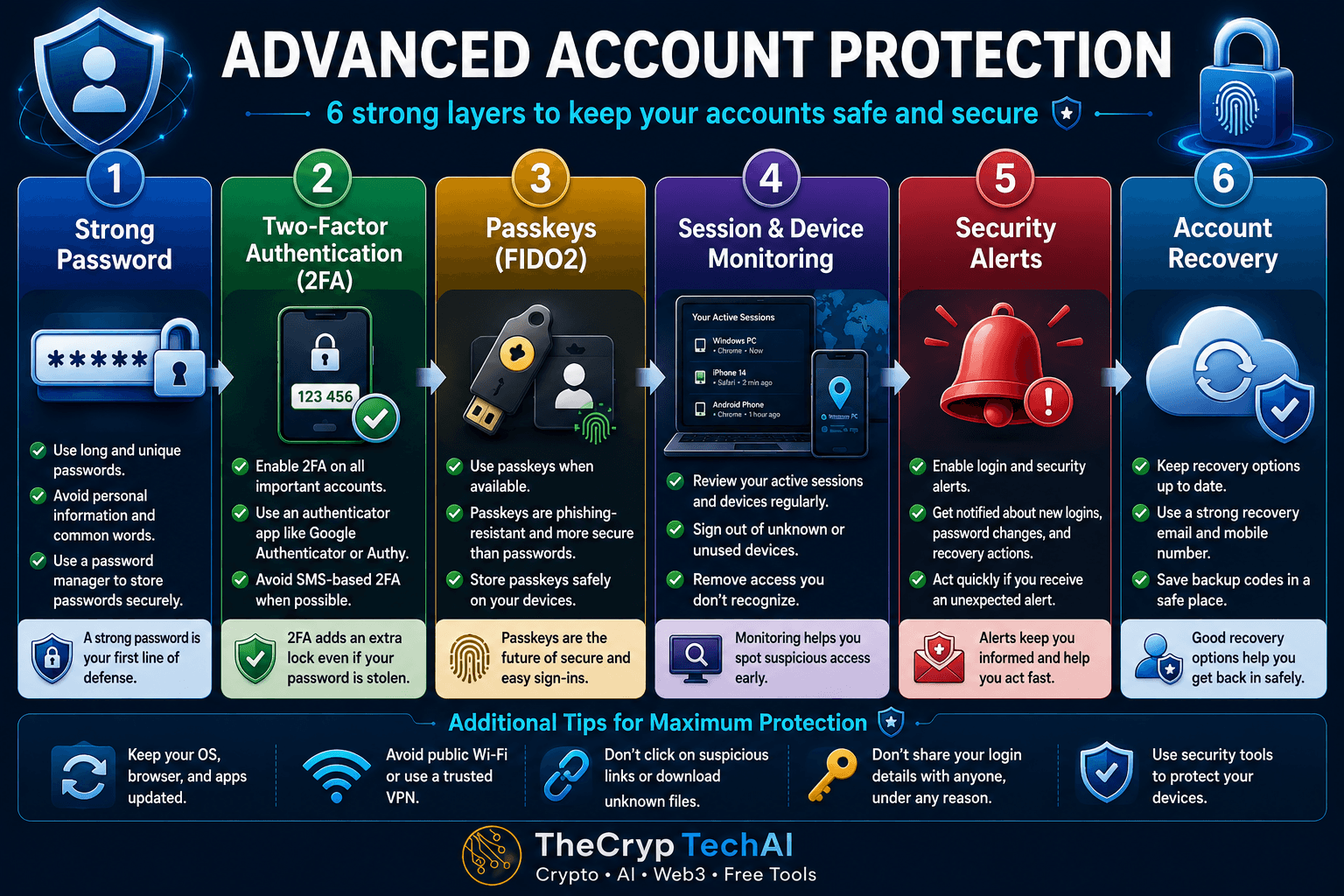
How to Start Advanced Account Protection
Start with your most important accounts, such as email, exchange accounts, and services that can be used to recover other accounts. Use a long and unique password for every account and avoid reusing the same password across multiple services.
A trusted password manager can help you create and store strong passwords instead of relying on simple or repeated passwords.
Enable Two-Factor Authentication (2FA)
Two-factor authentication adds another security layer after your password. If your password is exposed, an attacker will still need an additional verification factor to access your account.
When available, consider using an authenticator app or stronger phishing-resistant authentication instead of relying only on SMS, especially for sensitive accounts.
Use Passkeys When Available
Passkeys allow you to sign in using verification linked to your device, such as a fingerprint, face recognition, or device PIN, instead of entering a traditional password every time.
Passkeys based on FIDO standards can also reduce phishing risks because there is no reusable password for an attacker to steal through a fake login page.
Monitor Active Sessions and Devices
Regularly review the active devices and sessions connected to your important accounts. If you find a device, location, or session you do not recognize, sign it out and change your login credentials when unauthorized access is suspected.
Session monitoring is an important part of Advanced Account Protection because it can reveal suspicious access even when there are no obvious changes to your account.
Enable Security Alerts
Turn on notifications for new logins, password changes, new devices, and security-setting changes whenever the service provides these options.
If you receive an alert for an action you did not perform, avoid clicking links in an untrusted message. Open the official app or website directly and review your account activity there.
Prepare Secure Account Recovery
Keep your recovery email and phone number updated when you use them, and store backup recovery codes in a secure location. Reliable recovery options can be essential if you lose access to your device or primary authentication method.
Never share authentication codes, recovery codes, or passwords with anyone, even if they claim to represent customer support.
Build Multiple Layers of Advanced Account Protection
Strong account security should not depend on a single measure. Combine several layers:
Unique Password → 2FA → Passkeys → Session Monitoring → Security Alerts → Secure Recovery.
For more practical security guides and tools, visit the
TheCrypTechAI Security Center
.
You can also use the
Suspicious Link Checker
before visiting unfamiliar links.
Trusted Account Security Guidance
For additional security recommendations, review
CISA guidance on using strong passwords
.
Key Lesson
Do not rely on your password alone. Each additional security layer makes account takeover more difficult, while session monitoring and security alerts can help you identify suspicious activity and respond quickly.
اختبر فهمك
Check Your Understanding
سؤالان سريعان لتثبيت أهم ما تعلمته.
Two quick questions to reinforce the key ideas.